

WAF Engine
The Aegis WAF engine evaluates every proxied request against a chain of compiled rules. Each proxy host independently runs inoff, detect, or enforce mode.
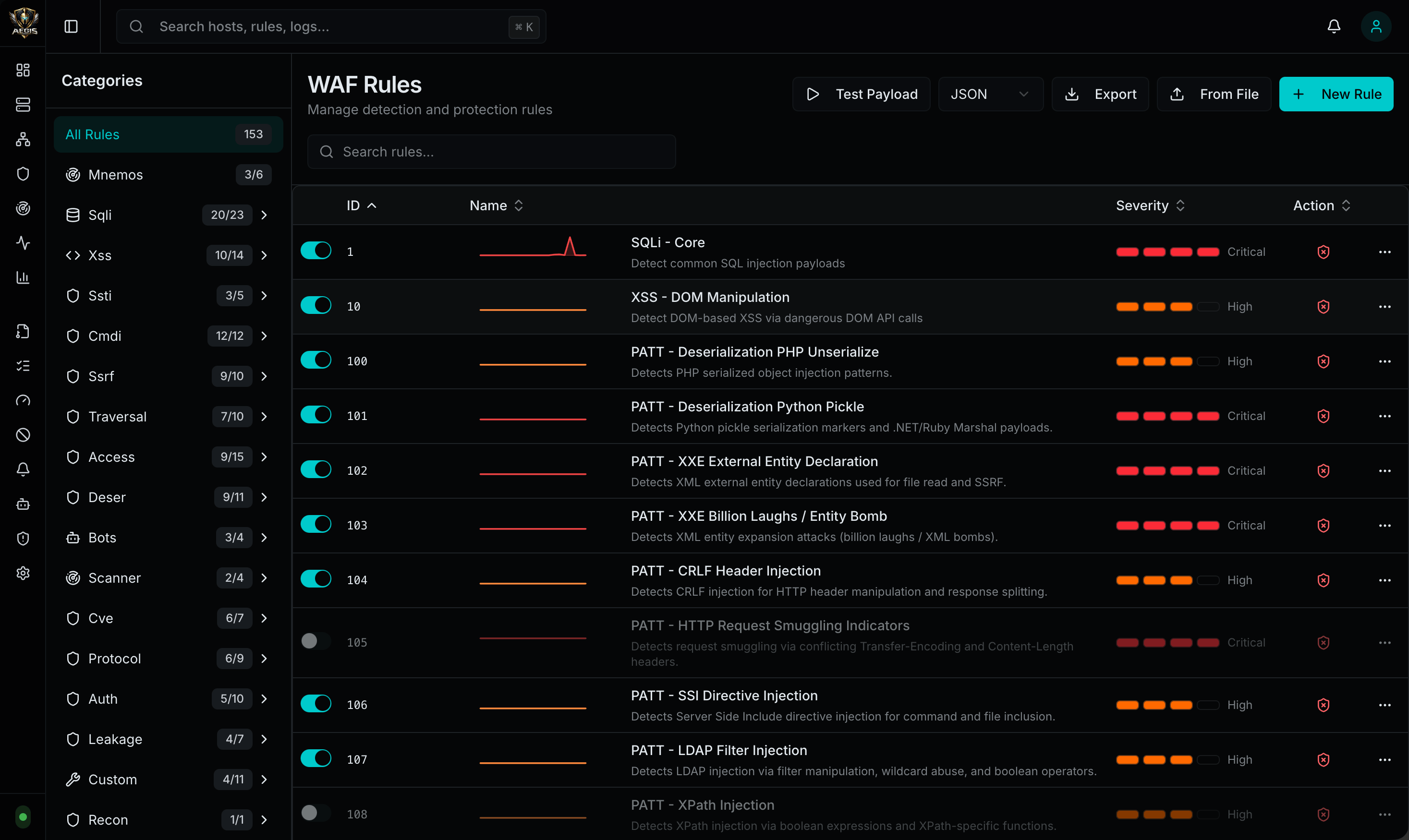
WAF Modes
| Mode | Behavior |
|---|---|
| Off | Pure reverse proxy — no WAF evaluation |
| Detect | Evaluate rules and log matches, but allow all traffic through |
| Enforce | Evaluate rules and block matching requests |
Built-in Capabilities
| Capability | Details |
|---|---|
| 26 built-in rules | OWASP Top 10 coverage across all major attack categories |
| Per-host WAF mode | off, detect, enforce per proxy host |
| Rate limiting | Token bucket algorithm per IP or per host with burst allowance |
| IP blacklists | Block by IP/CIDR; compiled to net.IPNet for fast matching |
| IP whitelists | Bypass all WAF rules for trusted IPs/CIDRs |
| CORS enforcement | Per-host origin, method, header, credential, and max-age policies; optionally block invalid origins |
| Input normalization | URL decoding + double-decode detection before rule evaluation |
| Method restriction | Per-host allowed HTTP methods |
| Response filtering | Strip Server, X-Powered-By, X-AspNet-Version headers |
| Security header injection | Auto-inject X-Content-Type-Options, X-Frame-Options, Referrer-Policy, Permissions-Policy |
| SameSite cookie enforcement | Force SameSite=Lax on upstream Set-Cookie headers missing the attribute |
| Paranoia levels | Global paranoia level (1-4) controls which rules are active — rules at or below the level are enabled, above are disabled. Per-rule manual override available. See Paranoia Level |
| Configurable targets | Each rule targets specific input surfaces: path, query, body, headers, cookies, user-agent |
| Severity-based auto blocking | Automatically blacklists offending IPs when a blocked match meets the configured minimum severity |
| Mnemos correlation engine | Stateful multi-request correlation — detects attack campaigns that span multiple requests from the same client within a time window. See Mnemos |
Detection Categories
The built-in rule library covers the following attack classes:| Category | Rules | Examples |
|---|---|---|
| SQL Injection | Core, Extended, Comment Bypass | UNION SELECT, SLEEP(), BENCHMARK(), stacked queries |
| Cross-Site Scripting | Core, Event Handlers, SVG/MathML | <script>, onerror=, javascript:, SVG/iframe/embed |
| Server-Side Template Injection | SSTI | {{7*7}}, ${T(java.lang.Runtime)}, <%, {% |
| SSRF | Core, Extended | 127.0.0.1, 169.254.169.254, file://, decimal/octal IPs |
| Command Injection | Core, PowerShell | Shell metacharacters, Invoke-Expression |
| Path Traversal | Traversal + Null Bytes | ../, %2e%2e%2f, double-encoded variants |
| LDAP Injection | LDAP Filter Manipulation | )(, *)(cn=*, filter injection |
| XPath Injection | XPath Function Abuse | string(), count(), contains() |
| CRLF Header Injection | HTTP Response Splitting | %0d%0a, \r\n in header values |
| Log4Shell | JNDI Injection | ${jndi:ldap://}, obfuscated variants |
| Spring4Shell | Java Runtime Exec | class.module.classLoader |
| Deserialization | Java, PHP, Python | aced0005 (Java magic bytes), O: (PHP), pickle signatures |
| Scanner Detection | User-Agent Fingerprinting | sqlmap, Nikto, Nmap, Burp Suite, Nuclei, WPScan |
| Sensitive File Probing | Config/VCS File Access | .env, .git, .htaccess, WEB-INF, web.config |
| Session Fixation | Session ID in URL | JSESSIONID=, PHPSESSID=, token parameters |
IP Whitelists
IP whitelists let you exempt trusted source IPs from WAF enforcement. This is distinct from the Allow Lists access control system — whitelists are per-host CIDR lists configured directly on the proxy host.How Whitelists Work
When a request arrives from a whitelisted IP:- The IP is checked against the host’s
whitelist_cidrslist (compiled tonet.IPNetfor fast matching) - If the IP matches, the request is marked as whitelisted
- All subsequent WAF checks still run — method restriction, body size, CORS, rate limiting, and rule chain evaluation — but any match that would normally be blocked is downgraded to detect (logged but allowed through)
- The request is proxied to the upstream regardless of WAF matches
- Internal monitoring tools that trigger WAF rules with legitimate traffic
- Penetration testing IPs where you want visibility without blocking
- Trusted office/VPN ranges that should never be interrupted
Whitelist vs Allow List
| Feature | Whitelist | Allow List |
|---|---|---|
| Scope | Per-host CIDR list | Reusable policy attached to hosts |
| Effect | Bypasses WAF enforcement (detect-only) | Restricts access (deny if not in list) |
| Types | IP/CIDR only | IP/CIDR, local auth, OAuth/OIDC, Active Directory |
| Configuration | whitelist_cidrs on the proxy host | Separate access list object |
Evaluation Order
The WAF evaluates IP lists in this order:- Allow list (if attached) — if the IP is NOT in the allow list, block immediately
- Whitelist — if the IP IS in the whitelist, mark as whitelisted (suppress enforcement)
- IP timeouts — check for active temporary blocks
- Blacklist — check static blacklist CIDRs
- WAF rules — evaluate rule chain (whitelisted IPs get detect-only)
Auto Blocking
Aegis can automatically block source IPs when a WAF rule fires withaction: block and the matched rule’s severity meets or exceeds a configured threshold. Auto blocking supports two action modes: permanent blacklist or temporary timeout.
How It Works
- A request is blocked by the WAF
- Aegis compares the matched rule’s severity against the configured minimum severity threshold
- If the severity meets or exceeds the threshold, auto blocking fires
- Depending on the configured action mode:
- Blacklist — the IP is added as a permanent
/32CIDR entry to the host or global blacklist - Timeout — the IP is added to a temporary block table with an expiration timestamp
- Blacklist — the IP is added as a permanent
Configuration
Four settings control auto blocking behavior:| Setting | Key | Default | Description |
|---|---|---|---|
| Severity Threshold | waf.auto_blacklist_min_severity | high | Minimum rule severity that triggers auto blocking |
| Action | waf.auto_blacklist_action | blacklist | blacklist (permanent) or timeout (temporary) |
| Scope | waf.auto_blacklist_scope | host | host (per-host) or global (all hosts) |
| Timeout Duration | waf.auto_blacklist_timeout_seconds | 3600 | Duration in seconds for timeout blocks (only used when action is timeout) |
Severity Threshold
| Value | Behavior |
|---|---|
off | Auto blocking disabled entirely |
low | Auto block on low, medium, high, and critical |
medium | Auto block on medium, high, and critical |
high (default) | Auto block on high and critical |
critical | Auto block on critical only |
Blacklist vs Timeout
| Mode | Behavior | Removal |
|---|---|---|
| Blacklist (default) | IP added permanently to the host or global blacklist as a /32 CIDR | Manual removal via admin UI or API |
| Timeout | IP added to a temporary block table with expires_at timestamp | Automatic — expired entries are cleaned up on the next timeout check |
timeout, the IP is blocked for the number of seconds configured in waf.auto_blacklist_timeout_seconds (default: 1 hour). After expiration, the IP can access the host again. If the IP triggers another WAF block, a new timeout is created.
Scope
| Scope | Behavior |
|---|---|
| host (default) | The block applies only to the specific proxy host where the WAF rule fired |
| global | The block applies to all proxy hosts system-wide |
IP Timeout Lifecycle
When auto blocking uses timeout mode:- WAF blocks a request that meets the severity threshold
- An
IPTimeoutrecord is created withexpires_at = now + timeout_seconds - On every subsequent request, the WAF checks active timeouts before evaluating rules
- If an active (non-expired) timeout exists for the client IP, the request is blocked immediately
- Expired timeouts are cleaned up automatically during the next query
Geolocation
Aegis enriches traffic analytics with city and country geolocation using the embedded GeoLite2 city database. Used for:- Dashboard Traffic Origins
- Analytics geographic distribution
- City and country enrichment on traffic and top-IP views
- Start Aegis normally
- Open Aegis Settings
- Confirm the Geolocation panel shows the embedded GeoLite2 database status