

Bot & AI Protection
Aegis provides per-host bot and AI protection that combines WAF-based scanner detection, AI crawler blocking, dynamic robots.txt generation, and the Aegis Shield challenge system. All bot protection settings are configured per proxy host: Admin UI -> Hosts -> edit a proxy host -> Bot Protection.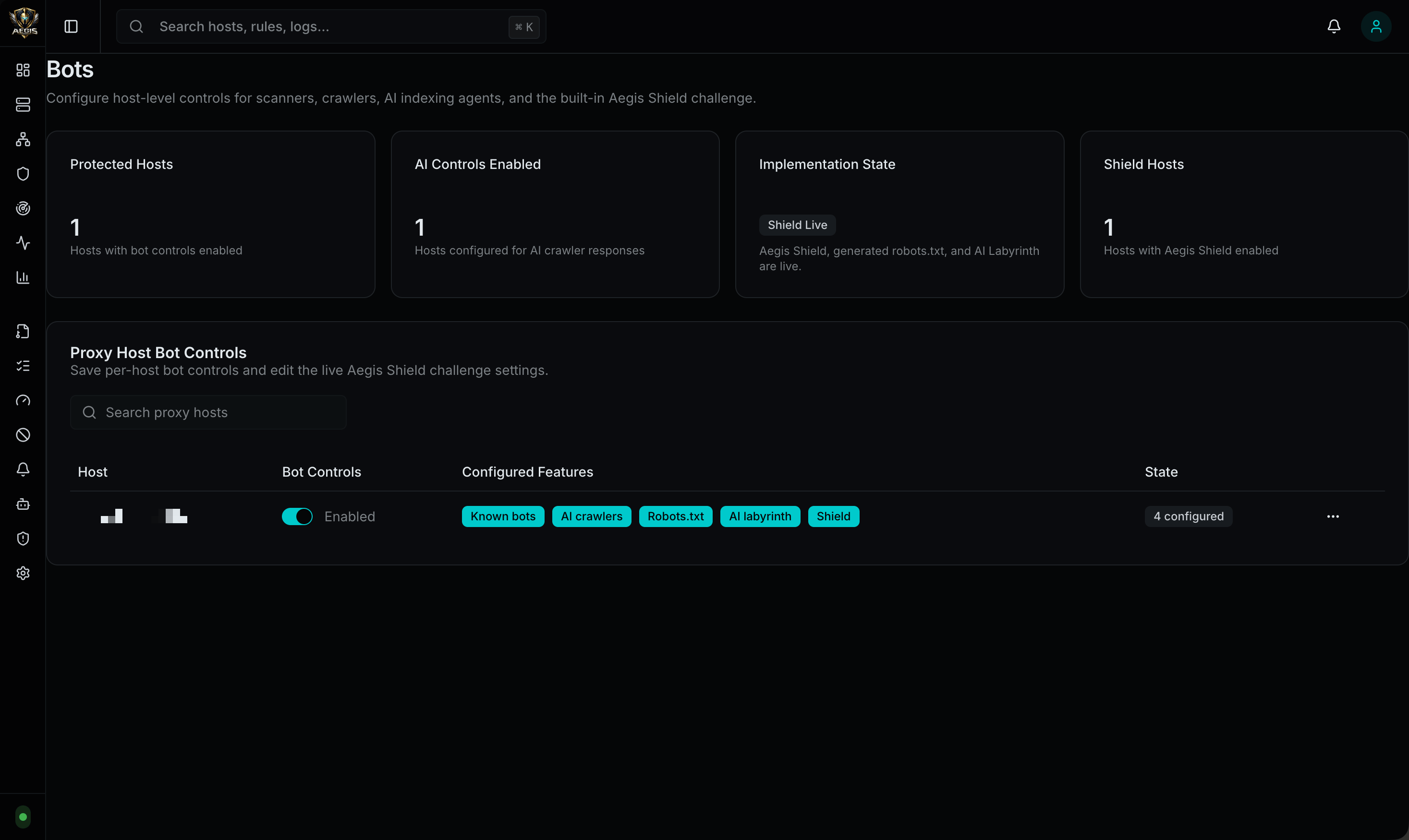
Protection Layers
| Layer | What It Does |
|---|---|
| Block Known Bots | WAF-based scanner detection (sqlmap, Nikto, Nmap, Burp Suite, Nuclei, WPScan, etc.) |
| Block AI Crawlers | User-Agent filtering for known AI training and scraping bots |
| Robots.txt | Dynamic robots.txt generation with EU Directive 2019/790 compliance and content-signal directives |
| Aegis Shield | Proof-of-work + browser verification challenge (see Aegis Shield) |
AI Crawler Blocking
When enabled, Aegis blocks requests from the following AI crawler User-Agents:| Bot | Operator |
|---|---|
GPTBot | OpenAI |
ChatGPT-User | OpenAI |
OAI-SearchBot | OpenAI |
ClaudeBot | Anthropic |
Claude-SearchBot | Anthropic |
Bytespider | ByteDance |
Google-Extended | |
Amazonbot | Amazon |
Applebot-Extended | Apple |
CCBot | Common Crawl |
cohere-ai | Cohere |
Diffbot | Diffbot |
FacebookBot | Meta |
meta-externalagent | Meta |
ImagesiftBot | Imagesift |
PerplexityBot | Perplexity |
YouBot | You.com |
omgili | Omgili |
Robots.txt Generation
Aegis can dynamically serve arobots.txt file for each protected host. The generated file includes:
Content-Signal Directives
These directives communicate content usage preferences to compliant crawlers:| Directive | Description |
|---|---|
Content-Signal: search | Allow use of content in search results |
Content-Signal: ai-input | Allow use of content as AI model input |
Content-Signal: ai-train | Allow use of content for AI model training |
Configuration Options
| Setting | Description |
|---|---|
| Enable robots.txt | Serve a dynamically generated robots.txt |
| Allow Search | Include Content-Signal: search |
| Allow AI Input | Include Content-Signal: ai-input |
| Allow AI Training | Include Content-Signal: ai-train |
| Block AI Crawlers | Add Disallow: / rules for each known AI crawler bot |
| Block All Bots | Block all bots except those explicitly allowed |
| Disallow Paths | Paths to disallow for all bots |
| Allow Paths | Paths to explicitly allow |
| Sitemap URL | Sitemap location to include in robots.txt |
| Custom Rules | Additional raw robots.txt directives |
Per-Host Configuration
Each proxy host has its own independent bot protection configuration stored as JSON:| Setting | Type | Description |
|---|---|---|
enabled | boolean | Master toggle for all bot protection |
blockKnownBots | boolean | Enable WAF scanner detection rules |
blockAICrawlers | boolean | Block known AI crawler User-Agents |
robotsTxt | object | Robots.txt generation settings |
shieldChallenge | boolean | Enable Aegis Shield challenge |
shieldMode | string | managed, invisible, or interactive |
shieldDifficulty | number | Proof-of-work difficulty (1-5) |
shieldCookieTTLMinutes | number | How long the pass cookie is valid |
shieldExemptPaths | string | Paths that bypass the challenge |
shieldExemptCIDRs | string | IP ranges that bypass the challenge |
shieldExemptUserAgents | string | User-Agents that bypass the challenge |
Shield Difficulty Levels
| Level | Approximate Time | Description |
|---|---|---|
| 1 | ~50ms | Low |
| 2 | ~200ms | Medium-Low |
| 3 | ~500ms–1s | Medium (default) |
| 4 | ~2–5s | High |
| 5 | ~10–30s | Maximum |
Configuration Locations
- Per-host bot settings: Admin UI -> Hosts -> edit host -> Bot Protection
- Global bot config: Admin UI -> Config -> Bots