Overview
Tentacle workers are designed to run on GPU-enabled Linux systems and process password cracking jobs distributed by the Kraken server. Each worker:- Registers with the Orchestra Conductor (running on the Krkn server)
- Maintains a persistent connection via gRPC
- Pulls work items when capacity is available
- Downloads required files (hashlists, wordlists, rules, masks) on-demand
- Executes hashcat attacks using local GPU resources
- Streams results back to the conductor
- Handles failures gracefully with automatic retry logic
Architecture
Key Components
- Worker: Main entry point that creates an Orchestra Instrument and processes jobs
- Executor: Handles hashcat execution, file management, and result streaming
- File Manager: Downloads and caches wordlists, rules, masks, and hashlists
- Orchestra Integration: Manages registration, heartbeats, work pulling, and lease management
- Poll Based: The Tentacle worker and its container do not expose ports, because they are not listening. Instead, the worker polls for work from the krkns, removing the attack surface on these devices.
Attack Modes Supported
Tentacle supports all standard Hashcat Attack Modes:- Dictionary Attack (mode 0): Wordlist-based attack
- Rule-based Attack (mode 0 + rules): Wordlist with transformation rules
- Brute Force (mode 3): Mask-based exhaustive attack
- Hybrid Wordlist + Mask (mode 6): Append mask patterns to wordlist entries
- Hybrid Mask + Wordlist (mode 7): Prepend mask patterns to wordlist entries
Prerequisites
Hardware Requirements
- GPU: NVIDIA GPU with CUDA support (tested with all major versions of CUDA 12-13)
- RAM: Minimum 8GB (16GB+ recommended for large wordlists)
- Storage: 500GB+ for hash database, wordlists, rules and temporary files. (TiB+ for large databases)
- Network: Stable connection to Krkn server
Software Requirements
- OS: Linux (Ubuntu 24.04 recommended)
- NVIDIA Driver: Version 5xx
- Docker: Latest version with NVIDIA Container Toolkit
- GPU Support: NVIDIA Container Runtime configured
Installation
Tentacle is distributed as a prebuilt, GPU-enabled container. You do not need to compile anything locally.Requirements
- Your hub.krkn.tech token
- Your Krkns server address (ending in :8443)
- (optional) Your Worker ID (name of this Tentacle worker. Defaults to hostname)
Quick Install
Run the installation script:
This script will:On the worker host, run:Or, if you prefer:You can also specify a version for the Tentacle if you prefer, otherwise
- Verifies NVIDIA driver
- Install Docker and enable the service
- Install NVIDIA Container Toolkit
- Configure Docker to use the NVIDIA runtime
- Detects your GPU CUDA Capabilities
- Pulls the correct Tentacle image from the Krkn Hub
- Prompts for required configuration
- Starts the worker as a persistent service named
tentacle
Important: Supported Platforms:
- OS: Debian 12/13, Ubuntu 22.04+, or equivalent
- GPU: NVIDIA GPU with CUDA support
- Driver: NVIDIA driver installed and working (
nvidia smimust work)
latest will be used:Set Environment Variables
During the installation you will be prompted for:
- Registry credentials (required)
- Used to authenticate to
hub.krkn.techand pull the Tentacle image.
- Used to authenticate to
- Orchestrator Address (required)
The port :65535 will be appended if not supplied. If using Tailscale, the hostname should be the primary hostname, not the -krkn one.
- Tailscale
ts_hostname# Note this is not thekrknhost
- Else
192.168.56.2:65535# Default port is 65535
- Tailscale
- Worker ID (optional)
- “My-Worker”

How Tentacle Works
Registration and Connection
When a Tentacle worker starts:- Connect to Conductor: Establishes gRPC connection to Kraken server (port 65535)
- Register: Sends worker ID, capacity, and labels to Orchestra Conductor
- Receive Config: Gets heartbeat interval (default 3 seconds)
- Start Loops: Begins heartbeat and work-pulling loops
Work Acquisition
The worker will continuously poll for work:- Pull Work: Calls
PullWorkRPC when capacity available - Acquire Lease: Receives work item with 30-minute lease
- Download Files: Streams hashlist, wordlist, rules, masks from conductor
- Execute Hashcat: Runs attack with downloaded files
- Report Results: Streams cracked hashes back to conductor
- Release Lease: Marks work complete and frees capacity
File Management
Files are downloaded on-demand and cached in/tmp/tentacle:
- Hashlists, wordlists, rules, and masks are streamed in chunks
- Files are reused across jobs when possible
- Temporary files cleaned up after job completion
Heartbeat and Lease Management
- Heartbeat: Sent every 3 seconds to maintain connection
- Lease Duration: 30 minutes per work item
- Auto-Extension: Lease extended if job still running
- Failure Recovery: If worker crashes, lease expires and work is reclaimed
GPU Capability Scoring
When a Tentacle worker starts, it runsnvidia-smi --query-gpu=name --format=csv,noheader to enumerate every visible NVIDIA GPU on the host. Each detected model name is looked up in an embedded GPU database (HashKat v2/gpuscore) which carries roughly 80 NVIDIA cards from Kepler through Blackwell along with their CUDA core count, VRAM, memory bandwidth, and a 1‑10 slow-hash suitability score:
- 10 = excellent at slow / memory-hard hashes (bcrypt, scrypt, DCC2, Argon2). Top-tier datacenter cards (H200, B200, GB200) and top consumer cards (RTX 5090, 4090) live here.
- 1 = strictly fast-hash material only (NTLM, MD5, SHA1). Older / low-VRAM cards (GTX 1050, 970, K80) live here.
| Label | Description |
|---|---|
kraken_score_total | Aggregate slow-hash score for the host |
kraken_gpu_count | Number of GPUs detected via nvidia-smi |
kraken_gpu_models | Semicolon-separated canonical model names |
kraken_gpu_details | Compact model:score,... breakdown |
kraken_gpu_unknown | GPU names that didn’t match any database entry (still scored as 3) |
Hosts without
nvidia-smi (or with no NVIDIA GPUs) simply publish no score labels and fall back to FIFO scheduling. Unknown GPUs still get a default mid score so unrecognized hardware is not excluded from work.Live Hashcat Status Reporting
While a Tentacle worker is executing a batch, it sampleskcat.Hashcat.GetStatus() every 5 seconds and forwards a snapshot to krkns over the existing Orchestra ReportUpdate RPC. Each snapshot contains the live hashcat session fields:
- Session ID
- Time started (absolute) and time estimated (absolute + relative “3 hours, 12 mins”)
- Progress (
X/Y (Z%)) - Recovered string (
X/Y (Z%) Digests, X/Y (Z%) Salts) - Parsed numeric recovered count
- Total hashes/sec across all devices
krknc job get and krknc job list. For completed or pending batches the live fields are empty; they only populate while the worker is actively cracking.
Monitoring
View Logs
Check Status
Development Mode:
For debugging:Configuration Reference
| Variable | Description | Default | Required |
|---|---|---|---|
| CONDUCTOR_ADDR | Address of the krkns | — | Yes |
| WORKER_ID | Unique worker ID | hostname | No |
Troubleshooting
Error: The worker is not connecting
Error: The worker is not connecting
This may be due to an firewall rules or the wrong port (65535). Try the following:
- Verify
CONDUCTOR_ADDRis correct (not the -krkn host) - Check network:
ping your-server-hostname - Ensure Kraken server is running
- Check firewall allows port 65535
- Ensure your Tailscale host and its -krkn server are accessible by your worker
Error: GPU not Detected
Error: GPU not Detected
The Cuda Drivers may be out of date or an u pdate may have broken the installation.
- Run
nvidia-smion host - Test Docker GPU: “docker run —rm —gpus all nvidia/cuda:13.0.0-base-ubuntu24.04“
- Restart Docker: `sudo systemctl restart docker`
- Rerun the prep_host.sh shell file
Error: Out of Memory
Error: Out of Memory
The wordlist+permutations may be too large:
- Use a smaller wordlist
- Use a smaller rule file
- Increase system RAM
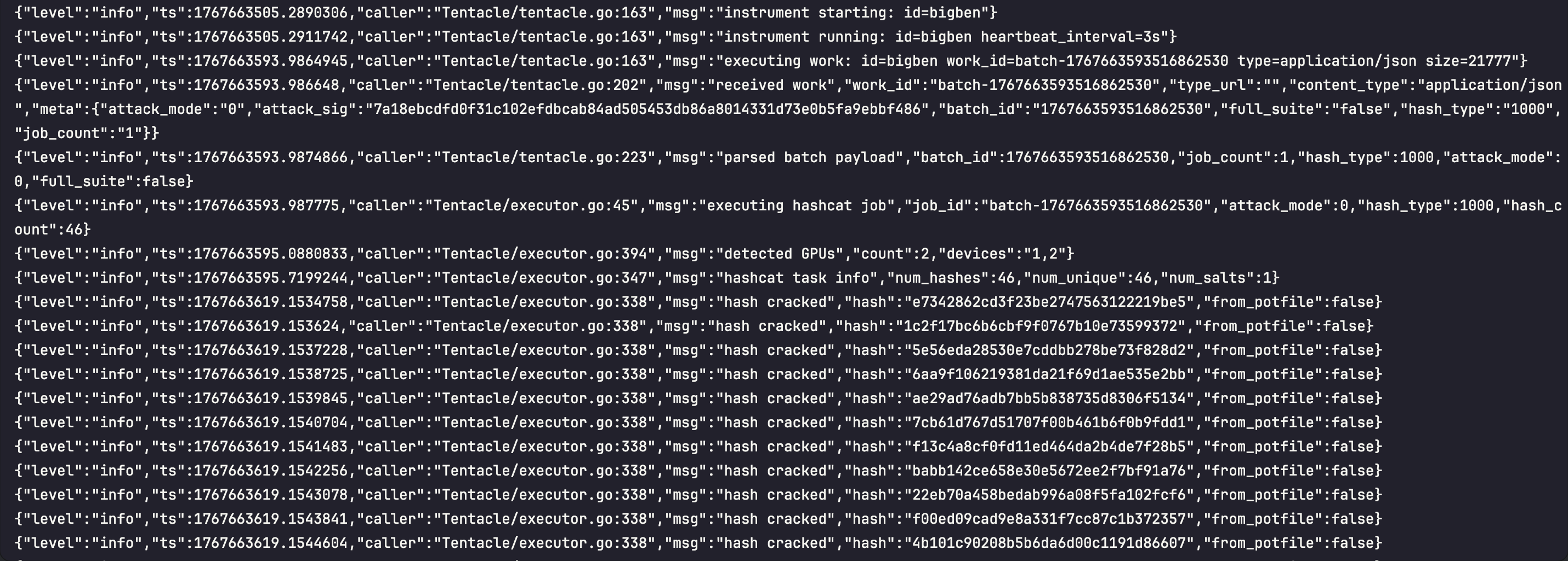
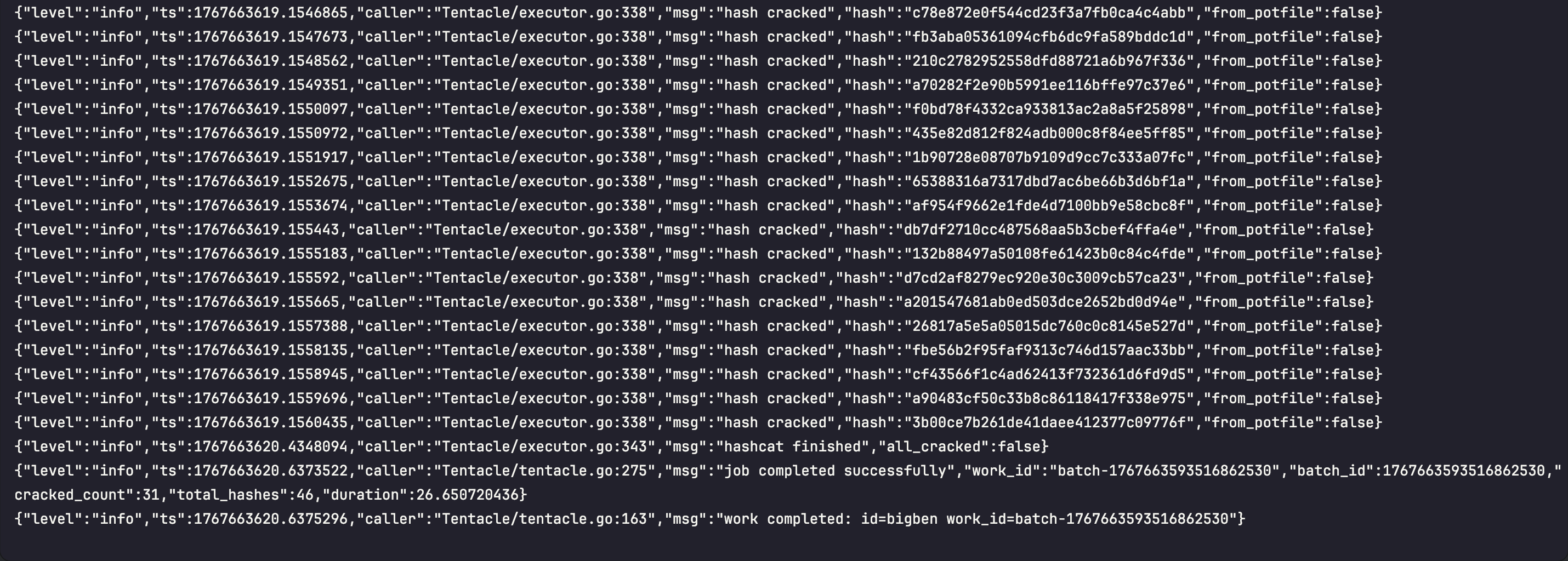
Sample Work Execution